
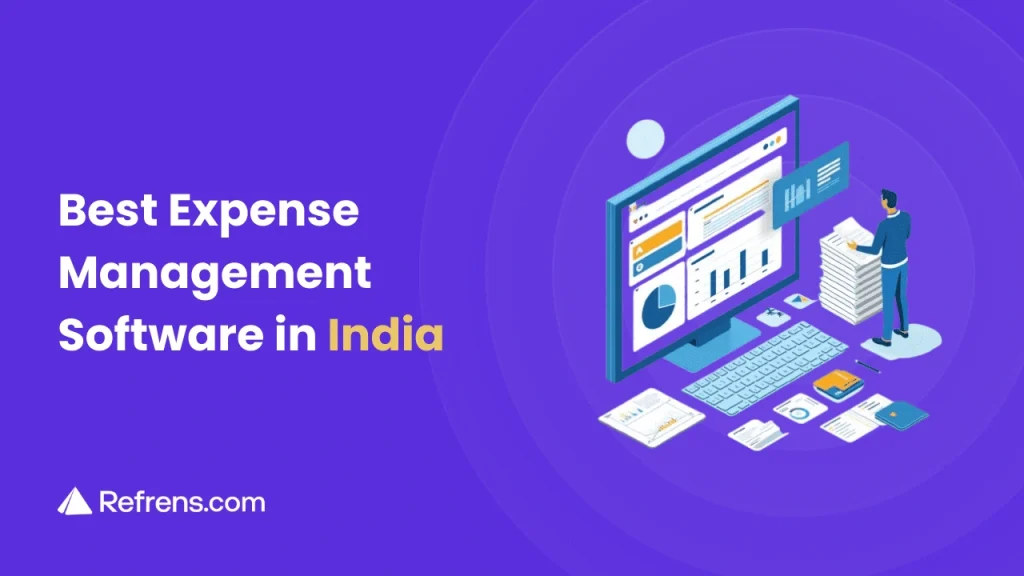
Expenses are easy to record when there are only a few of them. The problem starts when receipts are scattered across WhatsApp, reimbursements are pending, approvals are delayed, and finance has to piece everything together at month-end.
Expense management is the process of recording, approving, paying, and tracking business costs in a structured way. These usually fall into three broad categories:
- Employee Expense Management – Travel, meals, local transport, reimbursements, and other employee-paid expenses.
- Vendor Expense Management – Vendor bills, supplier payments, outstanding dues, and related purchases.
- Project Expense Management – Costs related to a specific project, department, branch, client, or campaign.
For Indian businesses, the process can also involve GST, TDS, GSTR-2B reconciliation, UPI payment proof, and multi-level approvals.
Managing all of this through spreadsheets, emails, paper bills, and chat messages can lead to missed receipts, delayed approvals, duplicate work, and poor visibility over spending.
Expense management software helps bring these tasks into one system. Depending on the product, businesses can capture bills, manage approvals and reimbursements, track vendor payments, reconcile purchases, and connect expenses with accounting.
This guide compares nine expense management and approval software options for Indian businesses based on their features, pricing, reviews, India-specific capabilities, and the type of business they are best suited for.
How We Evaluated These Expense Management Tools
This comparison is based on information available on each product’s official website, pricing pages, help documentation, and customer review platforms.
The tools were compared across factors relevant to Indian businesses, including expense capture, approval workflows, reimbursements, travel management, GST and TDS support, GSTR-2B reconciliation, mobile access, accounting integrations, and pricing.
Country-specific limitations were also considered, particularly for corporate cards, reimbursements, banking, and payment features.
Pricing, product details, and review ratings were checked in September 2026 and may change over time.
Quick Comparison of the Best Expense Management Software in India
Here is a quick look at what each tool is best suited for and how well it fits the needs of Indian businesses.
| Software | Best For | India Fit | Why |
|---|---|---|---|
| Refrens | Expenses, approvals, accounting, GST, and vendor management | Strong | GST, TDS, GSTR-2B, UPI proof, and INR pricing |
| Zoho Expense | Employee expenses, reimbursements, and travel | Strong | India edition, GST support, and INR pricing |
| SAP Concur | Larger businesses with complex travel and expense processes | Moderate | Global platform with India support, but not built specifically around Indian businesses |
| Expensify | Receipt capture and employee expense reporting | Moderate | Works in India, but some reimbursement and payment features vary by country |
| Happay | Travel, reimbursements, GST, and corporate spend | Strong | India-focused travel, GST, reimbursement, and spend-management features |
| ITILITE | Travel booking and expense management | Strong | India-focused travel and expense platform with local pricing |
| Zaggle | Expenses, cards, travel, and wider spend management | Strong | India-based platform covering travel, reimbursements, cards, and business spend |
| Sage Expense Management | Receipts and corporate card reconciliation | Moderate | Global platform with multi-currency support, but some features are more US-focused |
| Kodo | Reimbursements, cards, vendor payments, and procurement | Strong | India-focused platform for reimbursements, cards, vendor payments, and procurement |
India Fit: Strong means the platform has meaningful India-specific support or is built primarily for Indian businesses.
Moderate means it can be used in India, but some banking, reimbursement, card, or compliance features may be more limited.
Essential Features of Expense Management Software for Indian Businesses
A complete expense management system should cover more than basic expense recording. It should help businesses capture bills, manage approvals, reimburse employees, track vendor payments, stay compliant, reconcile transactions, and keep accounting records updated.
The strongest expense management platforms combine these capabilities in one system, though the exact feature set varies by product.
- Expense & Purchase Tracking: Record employee expenses, vendor bills, purchases, and other business costs.
- Mobile Expense Management: Let employees submit expenses, receipts, and payment proofs from their phones.
- Receipt & UPI Screenshot Capture: Attach bills, invoices, receipts, and UPI payment screenshots as supporting proof.
- AI & OCR Expense Capture: Automatically extract details such as vendor name, invoice number, date, amount, tax, and line items. OCR tools can also help copy text from images and scanned documents.
- WhatsApp & Email Expense Capture: Collect bills and expense documents directly through WhatsApp or email.
- Expense Categories: Organise spending by employee, vendor, department, project, branch, or expense type.
- Approval Workflows: Route expenses through managers, finance teams, or other approvers based on company rules.
- Expense Policies & Limits: Set spending limits and policies based on amount, category, employee, department, or other criteria.
- Employee Reimbursements: Track employee-paid expenses from submission and approval through repayment.
- Travel Expense Management: Manage flights, hotels, meals, local transport, mileage, per diem, and other business travel expenses.
- GST, TDS & GSTR-2B Support: Maintain tax-related expense records, track GST and TDS details, and reconcile purchases with GSTR-2B where required.
- Vendor Payment Tracking: Track paid, partially paid, and outstanding vendor expenses.
- Bank Reconciliation: Match bank transactions with recorded expenses and identify missing or unmatched entries.
- Accounting Integration: Move approved expenses into accounting records without entering the same information again.
- Roles, Permissions & Audit Trail: Control access to financial information and maintain a history of changes, approvals, rejections, and payments.
- Multi-Currency Support: Record and manage expenses in INR and foreign currencies.
- Reports & Analytics: Analyse spending by employee, vendor, category, department, project, branch, or time period.
Best Expense Management Software in India
With these criteria in mind, here is a closer look at nine expense management platforms available to Indian businesses.
1. Refrens

Refrens is an AI-powered expense management and accounting platform for Indian businesses. It brings expense capture, approvals, reimbursements, vendor payments, compliance, and accounting into one connected system.
Bills and receipts can be uploaded directly or collected through WhatsApp and email. Refrens uses AI to extract key details and prepare expenses for review, after which they can move through multi-level approval workflows before payment or reimbursement.
Because expenses remain connected with GST, TDS, GSTR-2B reconciliation, bank reconciliation, ledgers, and financial reports, businesses can manage the process from receiving a bill to recording it in the books without moving data between separate systems.
Best for: Indian businesses looking for expense management, approvals, vendor payments, GST compliance, and accounting in one system.
What stands out: Refrens connects expense capture with the entire process that follows, including approvals, payments, reconciliation, accounting, and reporting.
Key Features:
- Expense Recording & Categorisation: Record and organise business purchases and expenses for accurate tracking and reporting.
- Expense Approval Workflows: With Expense Approval Software, businesses can create multi-level workflows, route expenses to the right approvers, and track approval and payment status.
- Travel Expense Management: Record flights, hotels, meals, local transport, and other travel expenses, along with related employee reimbursements.
- Mobile Expense Management: Record expenses, upload supporting documents, review details, and approve expenses through the Refrens mobile app.
- Receipt & UPI Payment Capture: Attach bills, receipts, invoices, and UPI payment screenshots as supporting proof.
- Vendor Management: Verify, Onboard Vendors, Approve Vendors, and track vendor bills, outstanding amounts, payments, and ageing.
- AI Expense Capture: Scan bills and receipts to automatically extract details such as vendor name, invoice number, date, tax, amount, and line items.
- Refrens Eagle – WhatsApp & Email Capture: Send bills and expense documents directly to Refrens through WhatsApp or email. Eagle scans the document and prepares a Purchase or Expense draft for review. Businesses receiving bills over WhatsApp can also use WhatsApp OCR scanning to bring them directly into the accounting workflow.
- Employee Reimbursements: Record expenses paid personally by employees and track them through approval and reimbursement.
- Recurring & Bulk Expense Management: Automate regular expenses such as rent, utilities, and subscriptions, and import multiple purchases or expenses in bulk.
- Roles, Permissions & Audit Trail: Control who can create, view, edit, or approve expenses while keeping a record of changes and approval activity.
- GST, TDS & GSTR-2B Compliance: Track GST and TDS details and reconcile purchases with GSTR-2B for Input Tax Credit.
- Bank Reconciliation: Match bank transactions with accounting records and create missing expenses from unmatched transactions.
- Integrated Accounting: Keep vouchers, ledgers, payables, and financial reports updated as purchases and expenses are recorded.
- AI Automation with Refrens MCP: Connect Refrens with ChatGPT or Claude to create expenses, purchases, purchase orders, invoices, and quotations; record payments; check payables and receivables; review vendor and inventory data; transfer stock; update CRM records; and perform other supported business tasks through conversations.
- Expense Reports & Analytics: Generate expense summaries, vendor reports, ageing reports, GST reports, and other financial reports.
Additional Features:
Beyond expense management, Refrens also supports invoicing, quotations, inventory management, sales CRM, multi-business management, e-invoicing, e-way bills, custom reports, and workflow automation.
Pricing:
- Basic: Free
- Accounts Lite: ₹5,900/year
- Accounts Pro: ₹15,000/year
- Workflows: ₹22,000/year
- Operations: ₹39,000/year
Refrens Eagle and some AI capabilities may have additional usage-based charges depending on the selected plan.
User Reviews:
- Capterra: 4.9/5
- G2: 4.7/5
- SoftwareSuggest: 4.9/5
- Trustpilot: 4.7/5
Capture bills, manage approvals, track reimbursements, stay GST-ready, and keep your accounts updated – all from one place.
2. Zoho Expense

Zoho Expense is a travel and expense management platform focused on employee expenses, reimbursements, business travel, and company spending policies.
Employees can scan receipts, create expense reports, record mileage, and submit claims from the web or mobile app. Finance teams can manage approval workflows, expense policies, corporate card transactions, reimbursements, and spending visibility. Zoho Expense also supports GST and connects with accounting, ERP, HRMS, and other business tools.
Best for: Businesses that primarily need employee expense, reimbursement, and travel management with strong policy controls.
What stands out: Zoho Expense brings travel requests, expense reports, advances, reimbursements, and corporate card management into the same system.
Key Features:
- AI-Powered Receipt Scanning: Scan receipts using OCR to automatically capture expense details.
- Travel Expense Management: Manage travel requests, bookings, itineraries, advances, approvals, and travel-related expenses.
- Mobile Expense Management: Record expenses, upload receipts, submit reports, and manage approvals through the mobile app.
- Approval Workflows: Set up workflows for expense reports, trips, advances, and purchase requests.
- Expense Policies: Define spending rules and limits and identify expenses that fall outside company policy.
- Employee Reimbursements & Advances: Manage reimbursements, cash advances, petty cash, and supported bank reimbursements.
- Corporate Card Management: Import supported corporate card transactions for tracking and reconciliation.
- GST & Multi-Currency Support: Track GST on expenses and record transactions in multiple currencies.
- AI Assistance with Zia: Use Zoho’s AI assistant to check expenses, reimbursement status, approvals, policy violations, and other expense information.
- Zoho Expense MCP: Connect Zoho Expense with supported AI tools to access expense information and perform supported actions through conversations.
- Reports & Integrations: Analyse spending and connect Zoho Expense with accounting, ERP, HRMS, and other business applications.
Additional Features:
Zoho Expense also supports mileage and per diem tracking, budgets, purchase requests, custom roles, expense delegation, audit trails, WhatsApp and Slack integrations, multi-entity expense management, and travel booking.
Pricing:
- Free: ₹0 for up to 3 users
- Standard: ₹79 per user/month, billed annually
- Premium: ₹149 per user/month, billed annually
The Standard and Premium plans require a minimum of 5 users. Prices are exclusive of GST.
User Reviews:
- Capterra: 4.6/5
- G2: 4.5/5
- Software Advice: 4.6/5
3. SAP Concur

SAP Concur is an enterprise-focused travel and expense management platform designed for businesses with more structured spending, approval, and reporting requirements.
Employees can upload receipts, create expense reports, submit claims, and manage business travel from the web or mobile app. Finance teams can enforce spending policies, manage approvals, reconcile corporate card transactions, and connect expense data with accounting and ERP systems.
Its broader travel, policy, and integration capabilities make it particularly relevant for larger organisations and businesses operating across multiple teams or locations.
Best for: Larger businesses that need structured travel, expense, corporate card, and approval workflows.
What stands out: SAP Concur combines travel booking and expense management with enterprise-level policy controls, reporting, and ERP integrations.
Key Features:
- AI-Powered Receipt Capture: Use ExpenseIt to scan receipts and automatically create expense entries.
- Travel Expense Management: Manage business travel bookings and connect related expenses with expense reports.
- Mobile Expense Management: Upload receipts, submit reports, track claims, and manage approvals through the SAP Concur mobile app.
- Approval Workflows: Route expense reports through managers and other required approvers.
- Expense Policy Controls: Apply spending rules and flag expenses that fall outside company policy.
- Employee Reimbursements: Track approved employee expenses through reimbursement.
- Corporate Card Integration: Import corporate card transactions and match them with receipts and expense reports.
- Multi-Currency Support: Record and manage expenses across different countries and currencies.
- AI Assistance with Joule: Use SAP’s AI assistant for supported travel and expense tasks.
- Reports & Analytics: Monitor company spending, expense trends, and policy compliance.
- Accounting & ERP Integrations: Connect SAP Concur with accounting, ERP, HR, and other business systems.
Additional Features:
SAP Concur also supports travel booking, mileage tracking, invoice management, expense auditing, payment-related workflows, and broader travel and spend management.
Pricing:
- Base: Starting at $7 per expense report
- Plus: Starting at $11 per expense report
- Premium: Custom pricing
Pricing may vary based on usage and the selected plan.
User Reviews:
- GetApp: 4.3/5
- Capterra: 4.3/5
- G2: 4.0/5
4. Expensify

Expensify is an expense management platform focused on receipt capture, employee expense reporting, reimbursements, corporate cards, and travel.
Its SmartScan feature automatically reads receipts and creates expense details, while employees can submit expenses, record mileage, and manage reports from the web or mobile app. Finance teams can apply approval rules, reconcile card transactions, track spending, and connect expense data with accounting software.
Best for: Businesses that want straightforward receipt capture, expense reporting, approvals, and employee reimbursements.
What stands out: Expensify is particularly strong in automated receipt scanning and employee expense submission, with more advanced controls available on higher-tier plans.
Key Features:
- SmartScan Receipt Capture: Scan or upload receipts and automatically capture expense details.
- Automated Expense Reports: Categorise expenses and prepare reports with less manual entry.
- Approval Workflows: Route employee expenses through defined approval processes.
- Employee Reimbursements: Track approved employee expenses and reimbursements.
- Corporate Card Management: Import supported card transactions and reconcile them with expenses.
- Travel Expense Management: Manage travel bookings and related expenses.
- Expense Policies: Apply spending rules and approval requirements.
- Mileage Tracking: Record business mileage and include it in expense reports.
- Concierge AI: Use Expensify’s AI assistant to create, manage, submit, and review expenses and reports.
- Expensify MCP: Connect Expensify with ChatGPT, Claude, and other supported AI tools to search and analyse live expense data through natural-language queries. The MCP connection is read-only and cannot approve reports, edit expenses, or move money.
- Reports & Accounting Integrations: Track spending and connect Expensify with supported accounting and ERP systems.
Additional Features:
Expensify also supports budgets, bill payments, invoicing, expense chat, card reconciliation, travel policies, HR integrations, and advanced reporting.
Pricing:
- Submit: Free
- Collect: $5 per member/month
- Control: Custom pricing, with eligible annual plans starting as low as $9 per active member/month with Expensify Card usage.
Things to consider: Expensify can reimburse employees in many countries, but company-funded global reimbursements are currently limited to business bank accounts in supported regions such as the US, Canada, UK, EU, and Australia. Indian businesses should check how reimbursements would work with their banking setup.
User Reviews:
- GetApp: 4.5/5
- Capterra: 4.5/5
- G2: 4.5/5
5. Happay

Happay is an India-focused travel and expense platform with a strong emphasis on employee travel, reimbursements, GST, and spend control.
It brings travel booking, expense claims, approvals, corporate cards, and GST-related workflows together, making it particularly relevant for businesses with frequent employee travel and formal expense policies.
Best for: Indian businesses with significant employee travel, reimbursement, and policy management needs.
What stands out: Happay combines travel booking, expense reporting, GST automation, approvals, and corporate cards in one travel and expense workflow.
Key Features:
- OCR Receipt Capture: Scan physical or digital invoices and extract details such as amount, GSTIN, vendor name, date, city, and invoice number.
- Travel & Expense Management: Manage travel bookings and connect them with related employee expenses.
- GST Automation: Capture and validate GST details from travel and expense invoices and support Input Tax Credit processes.
- Multi-Level Approvals: Set hierarchical, delegated, and special approval workflows based on company policies.
- Policy Checks & SmartAudit: Identify duplicate invoices, over-limit claims, non-compliant expenses, and other exceptions before approval.
- Employee Reimbursements: Track claims from submission through approval and reimbursement.
- Corporate Cards: Connect employee spending with prepaid or corporate cards and apply spending controls.
- Mileage Tracking: Record and reimburse business mileage.
- Mobile Expense Management: Scan invoices, submit expenses, and manage claims from the mobile app.
- ERP & HRMS Integrations: Connect Happay with supported ERP, HRMS, and accounting systems.
- Reports & Analytics: Monitor spending, policy violations, approval times, duplicate claims, travel activity, and other expense data.
Additional Features:
Happay also supports petty cash, branch and cost-centre reporting, per diem, card reconciliation, forex-related travel processes, multi-entity controls, and broader corporate spend management.
Pricing:
Happay does not publish standard pricing for its travel and expense platform. You need to contact Happay for a customised quote.
User Reviews:
- G2: 4.5/5
- Capterra: 4.5/5
6. ITILITE

ITILITE is a travel and expense management platform that combines corporate travel, employee expenses, reimbursements, and policy controls.
Employees can scan receipts, submit claims, record mileage, claim per diem, and manage travel-related expenses, while finance teams can set policies, create approval workflows, audit expenses, and connect data with accounting, ERP, and HR systems.
Best for: Businesses that want corporate travel and employee expense management in one system.
What stands out: ITILITE keeps travel bookings and expense reporting connected, with India-specific plans for businesses of different sizes.
Key Features:
- OCR Receipt Capture: Scan receipts and automatically create draft expenses.
- Travel & Expense Management: Manage business travel and connect related expenses with employee claims.
- Approval Workflows: Create approval rules based on amount, category, employee, department, project, or other criteria.
- Expense Policy Controls: Set expense limits and automatically flag claims that fall outside company policy.
- AI-Based Audit Checks: Identify duplicate receipts, unusual spending, and other expenses that may need additional review.
- Employee Reimbursements: Track expenses from submission and approval through reimbursement.
- Mileage & Per Diem: Configure mileage rates and daily allowances for business travel.
- Custom Expense Categories: Create categories based on business requirements.
- Multi-Currency Expenses: Record expenses in different currencies.
- Automated Reminders: Remind employees to submit expenses and managers to approve pending reports.
- Reports & Integrations: Connect ITILITE with accounting, ERP, HRMS, SSO, and other supported systems.
Additional Features:
ITILITE also supports cash advances, audit trails, corporate card transactions, travel booking, 24/7 support, custom reports, and automatic creation of draft expenses from business travel bookings.
Pricing:
- Growth: ₹99 per user/month for up to 100 users
- Pro: ₹119 per user/month for 100-500 users
- Enterprise: Custom pricing for larger businesses and multi-entity organisations
The Growth plan includes AI-based fraud detection, advanced approvals, per diem, mileage, and multi-currency expenses. Pro adds OCR, advanced audit trails, custom dashboards, and additional onboarding support.
User Reviews:
- GetApp: 4.5/5
- Capterra: 4.5/5
- G2: 4.4/5
7. Zaggle

Zaggle is an India-based spend management platform that goes beyond employee expense claims to cover corporate cards, travel, reimbursements, branch expenses, and procurement-related spending.
It is designed for businesses that want tighter control over how money is spent across employees, teams, and locations. Employees can submit claims and manage travel expenses, while finance teams can apply approval rules, monitor card spending, and connect expense data with other business systems.
Best for: Indian mid-sized and larger businesses that want expense management connected with cards and broader spend controls.
What stands out: Zaggle combines travel and expense management with corporate cards, recurring business expenses, and procure-to-pay workflows.
Key Features:
- Travel & Expense Management: Manage travel requests, bookings, claims, and reimbursements.
- Self-Booking Tool: Allow employees to book flights, hotels, and transport.
- Expense Claims: Submit and approve employee claims digitally.
- Receipt Capture: Upload bills and receipts, with OCR support for expense creation.
- Multi-Stage Approvals: Route claims through hierarchical approval workflows.
- Expense Policies: Apply company spending rules before expenses are approved.
- Employee Reimbursements: Track claims from submission through reimbursement.
- Real-Time Spend Tracking: Monitor employee and business spending as it happens.
- Corporate Cards: Manage corporate credit and prepaid cards with spending limits and controls.
- GST-Ready Reporting: Maintain GST-related records for business spending.
- HRMS & Accounting Integrations: Connect travel and expense data with other business systems.
Additional Features:
Zaggle also supports recurring branch expenses, petty cash, rent and utility payments, procure-to-pay workflows, employee benefits, forex, international payments, and spend analytics.
Pricing:
Zaggle does not publish standard pricing for its expense management platform. You need to contact Zaggle for a customised quote.
User Reviews:
- G2: 4.2/5
8. Sage Expense Management (formerly Fyle)

Sage Expense Management, formerly Fyle, is an expense management platform focused on receipt capture, employee expenses, corporate card reconciliation, and accounting integration.
Employees can submit receipts through text, email, Gmail, Outlook, or the mobile app. Finance teams can review expenses, apply policies, manage approvals, match receipts with card transactions, track budgets, and sync expense data with accounting systems.
Best for: Businesses that rely heavily on corporate cards and want receipt collection, expense management, and card reconciliation in the same workflow.
What stands out: Sage Expense Management supports receipt collection across multiple channels and is particularly strong at matching receipts with corporate card transactions.
Key Features:
- AI Receipt Capture: Automatically extract and record expense details from receipts.
- Multi-Channel Receipt Collection: Submit receipts through text messages, email, Gmail, Outlook, or the mobile app.
- Corporate Card Reconciliation: Match receipts with company card transactions and keep card expenses organised.
- Approval Workflows: Set approval rules and route expense reports to the required approvers.
- Expense Policies: Create spending rules and flag expenses that fall outside company policy.
- Mileage & Per Diem: Track mileage expenses and daily allowances for business travel.
- Budget Tracking: Monitor employee and company spending against defined budgets.
- Multi-Currency & Multi-Entity Support: Manage expenses across different currencies, regions, and business entities.
- AI Copilot: Use Sage Expense Management Copilot to get answers about expenses, spending, and reports.
- Accounting Integrations: Connect with supported accounting platforms such as Sage Intacct, QuickBooks, Xero, and Sage 50.
Additional Features:
Sage Expense Management also supports project expense tracking, custom expense fields, automatic report submission, employee reminders, audit history, API integrations, personal card management, and real-time card feeds.
Pricing:
- Growth: $11.99 per active user/month, billed annually
- Business: $14.99 per active user/month, billed annually
- Enterprise: Custom pricing
The Growth plan has a minimum billing of 5 users, while the Business plan has a minimum billing of 10 users. You are charged only for active users who create an expense or have an active card transaction during the month.
User Reviews:
- G2: 4.6/5
- Capterra: 4.5/5
9. Kodo

Kodo is an India-focused spend management platform that combines employee reimbursements with corporate cards, vendor payments, purchase requests, and accounts payable workflows.
Employees can submit expense claims and upload receipts, while finance teams can apply policies, route approvals, control card spending, and manage vendor payments within the same spend management system.
Best for: Indian businesses that want employee reimbursements connected with corporate cards, vendor payments, and procurement workflows.
What stands out: Kodo goes beyond employee expenses by connecting reimbursements with cards, purchase requests, accounts payable, and vendor payments.
Key Features:
- Receipt & OCR Capture: Upload receipt images and automatically extract expense details.
- Employee Reimbursements: Submit, approve, track, and process reimbursement claims.
- Expense Policy Checks: Check claims against company spending rules before approval.
- Multi-Level Approvals: Route expenses through business and finance approvers.
- Corporate Cards: Issue company cards with individual spending limits and controls.
- Spend Controls: Set restrictions based on employee, team, or type of expense.
- Vendor Payments: Manage vendor payments through supported bank transfer and UPI workflows.
- Purchase Requests: Create and approve purchase requests before spending takes place.
- Accounts Payable: Manage vendor invoices, approvals, and payment workflows.
- Accounting Integrations: Connect expense and payment data with supported accounting systems such as Zoho and Tally.
- Reports & Analytics: Track reimbursements, card spending, vendor payments, and overall business spend.
Additional Features:
Kodo also supports purchase orders, invoice processing, procurement approvals, vendor management, card controls, and wider spend analytics.
Pricing:
Kodo does not publish standard pricing for its spend management platform. You need to contact Kodo for a customised quote.
User Reviews:
- G2: 4.5/5
How to Choose the Right Expense Management Software
The right expense management software should fit the way your business handles expenses, approvals, reimbursements, compliance, and accounting.
Before choosing a platform, consider the following:
- Compliance: Check whether the software supports GST, TDS, GSTR-2B reconciliation, Input Tax Credit, and other requirements relevant to your business.
- India-Specific Availability: Make sure features such as corporate cards, reimbursements, bank integrations, and payment methods are actually available for Indian businesses.
- Ease of Use: Choose software that is simple for employees, managers, and finance teams to use. Expense submission, approvals, and receipt upload should not require unnecessary steps.
- Approval Workflows: Look for flexible workflows that support multiple approval levels, different approvers, and rules based on amount, department, category, project, branch, or other criteria.
- Automation & AI: Check for capabilities such as receipt scanning, automatic data extraction, document capture, duplicate detection, policy checks, and automated approval routing.
- Integrations: Make sure the software connects with your accounting, ERP, banking, payment, payroll, HRMS, and other business systems where required.
- Security & Access Control: Look for role-based permissions, audit trails, activity logs, and appropriate controls for sensitive financial data.
- Reporting & Visibility: Check whether you can track expenses, reimbursements, vendor payments, outstanding amounts, and spending trends through clear reports.
- Customisation: Consider whether you can customise expense categories, policies, workflows, roles, fields, and approval rules to match your business processes.
- Mobile Access: Make sure employees can submit expenses and supporting documents, and managers can review approvals, from their phones.
- Data Export & Portability: Check whether you can export expense records, receipts, reports, and other financial data if you need to move to another system later.
- Scalability: Consider whether the platform can support more employees, entities, branches, transactions, and currencies as your business grows.
- Implementation & Support: Check what onboarding, training, setup assistance, and ongoing customer support are available.
- Total Cost: Look beyond the headline subscription price. Minimum users, onboarding, implementation, integrations, cards, AI or OCR usage, add-ons, and other charges can all affect what you actually pay.
Conclusion
The right expense management software should do more than help you record expenses. It should reduce manual work, make approvals faster, improve visibility over spending, and keep expense data connected with the rest of your financial processes.
For Indian businesses, this means looking beyond basic receipt scanning and reimbursement tracking. GST and TDS support, GSTR-2B reconciliation, UPI payment proof, approval workflows, vendor expenses, accounting integration, and India-specific availability can all make a significant difference in everyday use.
The platforms covered in this guide solve these problems in different ways. Some are primarily built for employee travel and reimbursements, while others extend into corporate cards, vendor payments, procurement, accounting, and broader spend management.
The best fit ultimately depends on where most of your expense management work happens today, what your team is still doing manually, and how much of that process you want to bring into one system.
Capture bills, manage approvals, track reimbursements, stay GST-ready, and keep your accounts updated – all from one place.
Frequently Asked Questions
Which is the best expense management software in India?
There is no single best option for every business.
Some platforms are stronger for employee travel and reimbursements, while others also cover vendor payments, GST, accounting, corporate cards, procurement, or broader spend management.
For Indian businesses, the most important factors usually include GST and TDS support, GSTR-2B reconciliation, UPI proof, reimbursement options, approval workflows, accounting integration, and India-specific availability.
When should a business move from spreadsheets to expense management software?
Spreadsheets can work when expense volumes are low and approvals are simple.
It may be time to move to dedicated software when receipts are getting missed, approvals take too long, employees frequently claim reimbursements, multiple teams are involved, or finance has to re-enter the same information into accounting.
Do I need separate software for employee expenses and vendor expenses?
Not always. Some tools focus mainly on employee expenses such as travel, mileage, meals, and reimbursements. Others also manage vendor bills, outstanding payments, purchases, and accounts payable.
If your business handles both, a platform that supports both workflows can reduce the need to maintain separate systems.
What happens after an expense is approved?
This depends on the software. In some systems, approval is the end of the expense workflow, and the data must then be moved into accounting separately. More connected platforms can move an approved expense directly into reimbursement or vendor payment, bank reconciliation, ledgers, tax records, and financial reports.
This is an important difference to check when comparing products.
Can expense management software help with GSTR-2B reconciliation and Input Tax Credit?
Some platforms can. For Indian businesses, look for software that captures GST details correctly and can match purchase or expense records with GSTR-2B. This can help identify missing invoices, mismatches, and transactions that may affect Input Tax Credit.
The level of automation varies between products.
What should Indian businesses check before choosing a global expense management tool?
Check whether the features shown on the global website are actually available in India. Corporate cards, reimbursements, bank integrations, payment methods, travel services, and local compliance features may vary by country. A global platform may still work well in India, but its India-specific capabilities should be verified before selecting it.
Are corporate cards and reimbursements available in India on every expense platform?
No. Some platforms offer corporate cards or direct reimbursements only in selected countries or require a supported business bank account. Indian businesses should check card issuance, reimbursement methods, banking requirements, payment timelines, and applicable fees separately.
What is the difference between expense management software and accounting software?
Expense management software mainly handles expense capture, approvals, reimbursements, travel expenses, spending policies, and related controls.
Accounting software manages the wider financial records of the business, including ledgers, payables, receivables, taxes, bank reconciliation, and financial statements. Some platforms combine both, while others connect expense management with separate accounting software.
Related Posts:
 7 Best Purchase Order Approval Software
 Why Your Accounting Software Should Have WhatsApp OCR Scanning
 Best Invoice OCR Software in India: Top 5 Tools Compared
 Top 15 Vendor Management Software in India for 2026: Features, Pricing, Ratings & Reviews
 How to Design, Automate, and Improve a Purchase Order Approval Workflow
 Purchase Order Approval Process: Steps, Approvers, and Best Practices
 Accounts Payable OCR Software: What Happens Between Receiving a Bill and Recording It
 Vendor Approval Process: Prequalification, Vetting, Due Diligence & Risk Checks
 Vendor Onboarding Process: Steps, Checklist & Documents
 Top 10 Best Accounting Software For Travel Agencies (Updated 2026 List)
 Top 6 Billing Software For Tour And Travel Agents
 10 Best Invoice Approval Workflow Software
 A Complete Guide to the Types of Invoices
 Best Accounting Software in India: Features, Pricing, Reviews, and more (Updated 2026 List)
 Travel Lead Management Software: Our Top Picks
 Top AI accounting Software in India
 Everything You Need to Know About Purchase Orders: A Complete Guide
 Everything To Know About GSTR 3